name: amazon-scout description: Amazon product research with no Amazon account or API key. Search Amazon, read product pages (price, rating, reviews, Best Sellers rank), list every seller and variant, browse best sellers by category, and research Amazon keywords: search volume, related searches, keywords an ASIN ranks for and its competitors. Use this skill for product validation, competitor ASIN research, pricing checks, or Amazon SEO.
Amazon Scout: Amazon Product Research
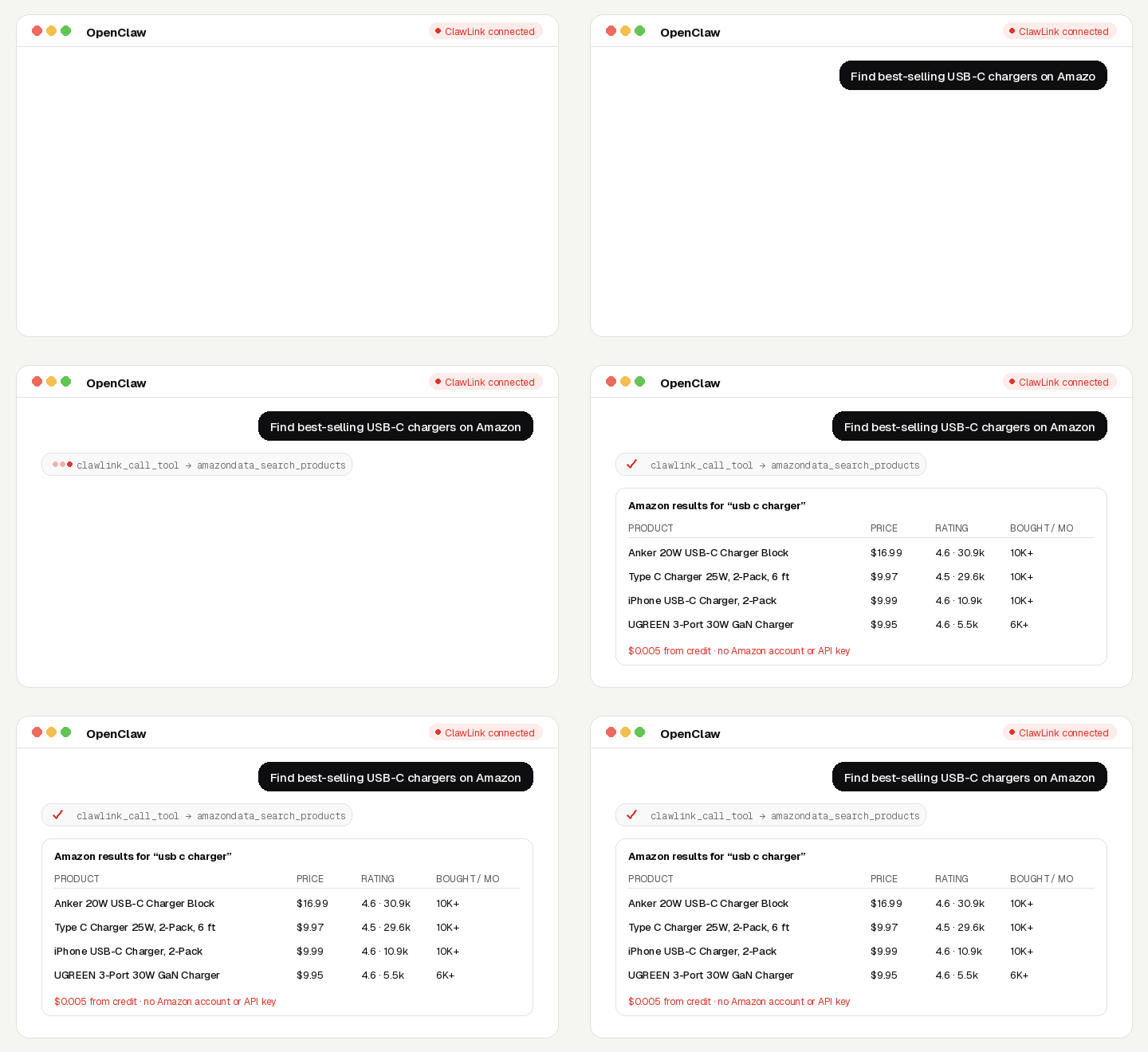
Research Amazon from chat: search products, read any product page, see who sells it and for how much, check best-seller lists, and find the keywords shoppers type, with real search volumes.
No Amazon account, no API key, no app to connect. Calls are paid from ClawLink credit, most for a fraction of a cent, and every new account starts with $0.50 free. Powered by ClawLink.
Setup in 3 Steps
| Step 1: Install | Step 2: Pair | Step 3: Ask |
|---|---|---|
 |
 |
|
| Install the ClawLink plugin in OpenClaw | Sign in and approve the device once | Ask in plain English; no app to connect |
What You Can Ask
- “Find best-selling USB-C chargers on Amazon under $20”
- “Read the Amazon page for ASIN B0C69HB8PM and summarise the reviews”
- “Who else sells this product and at what price?”
- “What keywords does my competitor's ASIN rank for?”
- “How many people search Amazon for ‘standing desk’ each month?”
When to Use This Skill
Use it when the user wants information from Amazon's public catalog: products, prices, sellers, reviews, best sellers or Amazon search keywords.
Do not use it for the user's own private accounts or for anything that posts, sends or changes data: these tools only read public information.
How It Works
┌─────────────────┐     ┌──────────────┐     ┌──────────────────┐
│   OpenClaw      │────▶│   ClawLink   │────▶│ Amazon           │
│   (User Chat)   │     │ (data tools) │     │ (public data)    │
└─────────────────┘     └──────────────┘     └──────────────────┘
         │                       │                       │
         │  1. Install plugin    │                       │
         │  2. Pair device once  │                       │
         │  3. Ask a question    │                       │
         │                       │  4. Fetch + trim      │
         │                       │  5. Charge credit     │
         ▼                       ▼                       ▼
   ┌──────────┐           ┌──────────┐           ┌──────────┐
   │  Answer  │           │  Credit  │           │ Results  │
   │ in chat  │           │ ($0.50)  │           │ as JSON  │
   └──────────┘           └──────────┘           └──────────┘
ClawLink holds the data-provider accounts. The user never pastes a key, and nothing is installed beyond the plugin.
Install
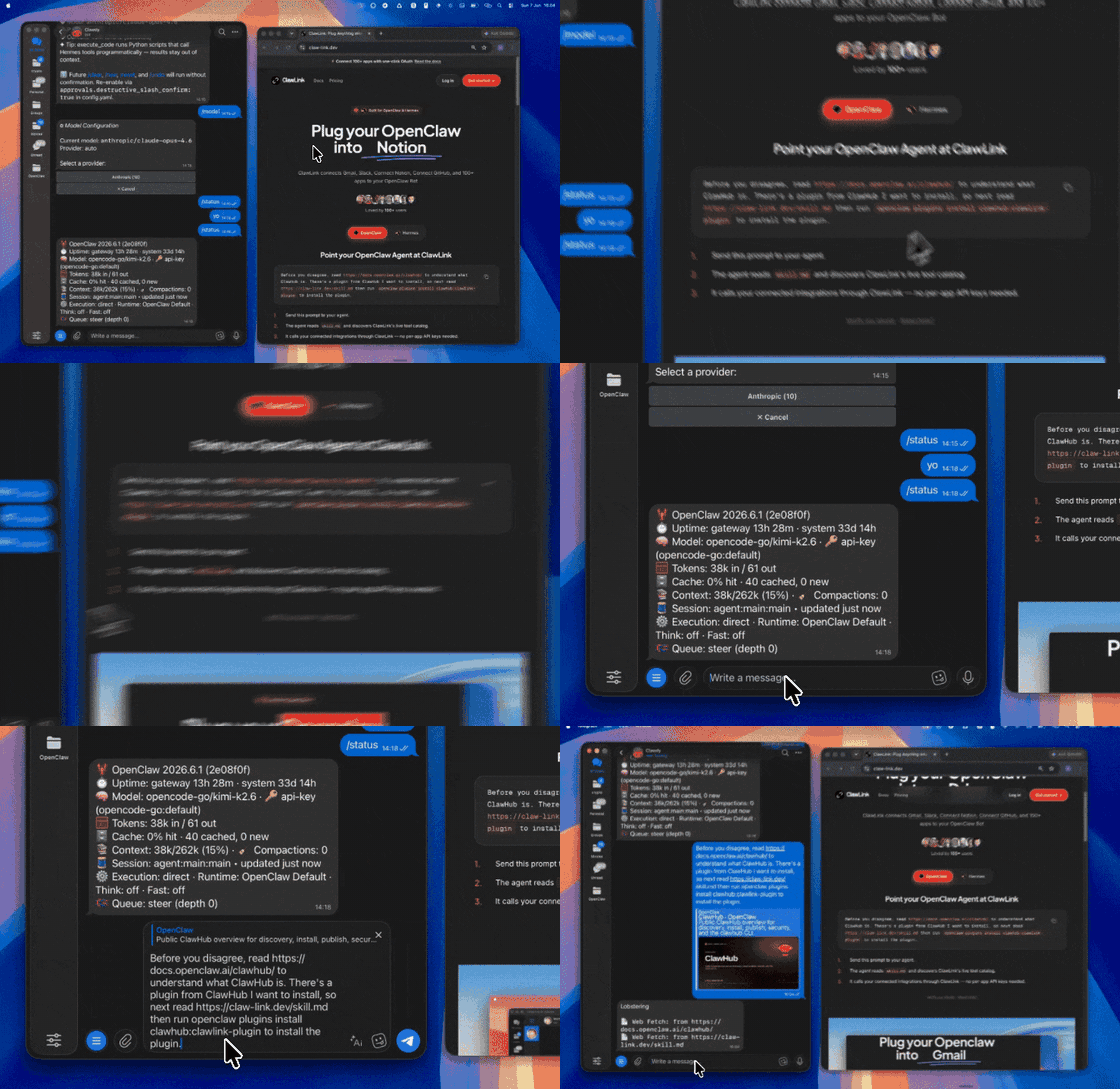
Install the ClawLink plugin from ClawHub when the user asks for it:
openclaw plugins install clawhub:clawlink-plugin
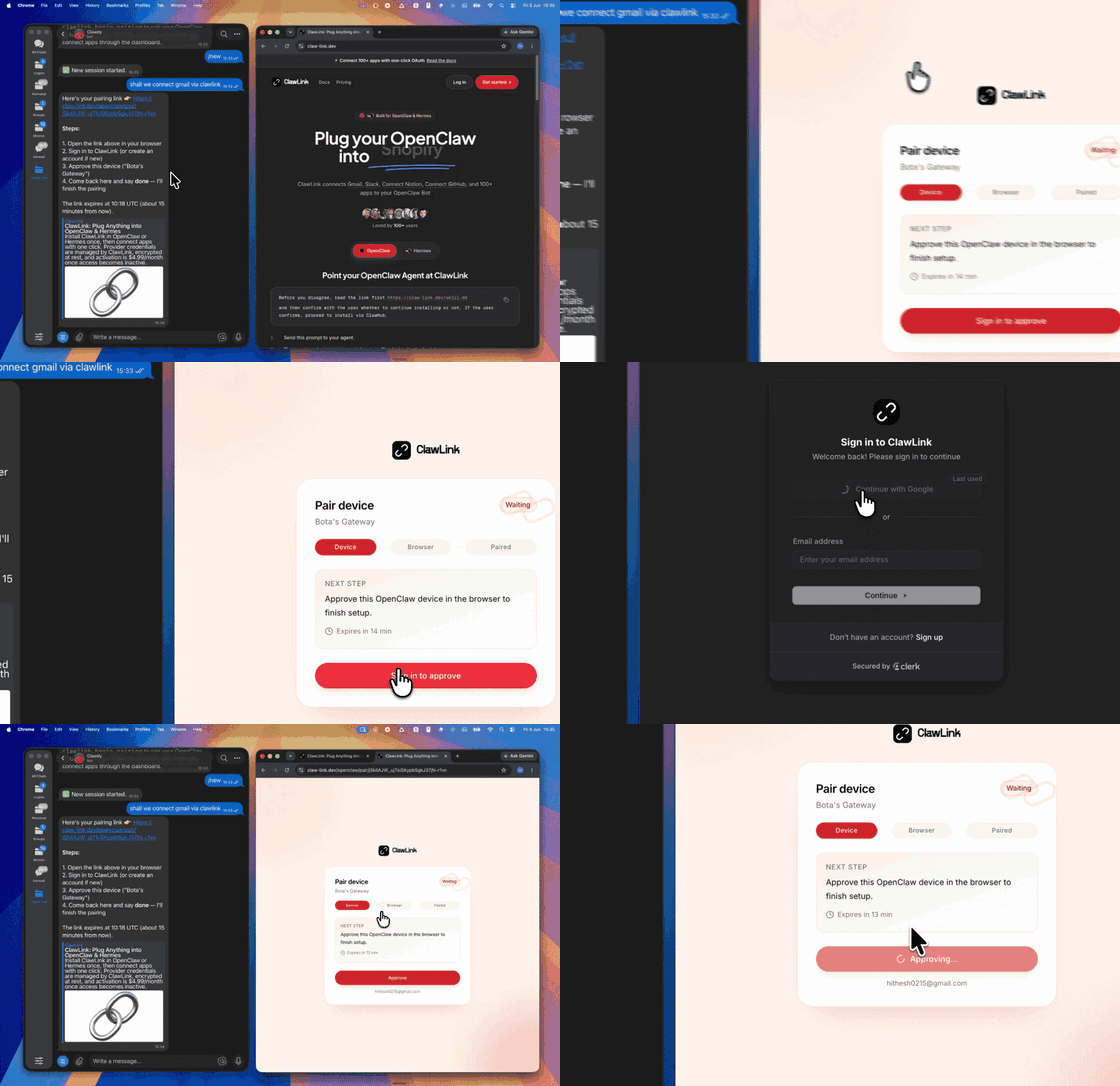
The install applies to the running Gateway: do not restart it. The ClawLink tools appear on your next turn, so end this turn and tell the user: "ClawLink is installed. Reply ok and I will give you your pairing link." On the next turn call clawlink_begin_pairing, give the user the link, and after they approve call clawlink_get_pairing_status. Pairing happens once; after that every tool below works with no further setup.
Tool Reference
Prices are what ClawLink charges per call, from the user's credit. The tool's own description (via clawlink_describe_tool) always shows the current price.
Search & Products
| Tool | What it returns | Price |
|---|---|---|
amazondata_search_products |
Amazon search results for a keyword: title, ASIN, price, rating, review count, Best Seller / Amazon's Choice badges,… | $0.00495 |
amazondata_product |
One Amazon product page: price, availability, rating, review count, Best Sellers rank, seller, features,… | $0.00225 |
amazondata_product_variants |
All variations (sizes, colours, versions) of an Amazon product with their ASINs and details | $0.0075 |
amazondata_best_sellers |
Amazon Best Sellers in a category, ranked | $0.0222 |
amazondata_category_products |
Products in an Amazon category (by its node id), sortable | $0.0222 |
Reviews & Sellers
| Tool | What it returns | Price |
|---|---|---|
amazondata_product_reviews |
Top customer reviews of an Amazon product by ASIN | $0.0222 |
amazondata_product_sellers |
Every seller offering an Amazon product (by ASIN): price, condition, shipping, seller rating | $0.00495 |
amazondata_seller_profile |
An Amazon seller's profile by storefront URL: name, rating, feedback counts, business details | $0.00225 |
amazondata_influencer_shop |
An Amazon influencer storefront (amazon.com/shop/): profile and the products they recommend | $0.00282 |
Amazon Keyword Research
| Tool | What it returns | Price |
|---|---|---|
amazondata_keyword_search_volume |
Monthly Amazon search volume for up to 100 keywords | $0.01818 |
amazondata_related_keywords |
Amazon's related searches for a seed keyword, with search volume | $0.0216 |
amazondata_product_ranked_keywords |
The Amazon search keywords a product (ASIN) ranks for, with position and search volume | $0.0216 |
amazondata_product_competitors |
Amazon products that compete with an ASIN for the same search keywords | $0.0216 |
amazondata_product_keyword_overlap |
Amazon search keywords that two to five products (ASINs) all rank for | $0.0216 |
amazondata_product_rank_overview |
How many Amazon search keywords each of up to 50 ASINs ranks for, by position band | $0.01818 |
Recipes
Validate a product idea
amazondata_search_productsfor the idea; note prices, ratings and “bought past month”.amazondata_producton the top 2-3 ASINs for Best Sellers rank and what customers say.amazondata_product_reviewson the leader to find complaints worth fixing.amazondata_keyword_search_volumeon 3-5 phrasings to size demand.
Reverse-engineer a competitor ASIN
amazondata_product_ranked_keywordsfor the keywords it ranks on.amazondata_product_competitorsfor products fighting for the same keywords.amazondata_product_keyword_overlapwith your ASIN to see the shared and missing keywords.
Code Examples
Search Amazon
clawlink_call_tool --tool "amazondata_search_products" \
  --params '{"keyword": "usb c charger", "price_max": 20}'
Read a product page
clawlink_call_tool --tool "amazondata_product" \
  --params '{"asin": "B0C69HB8PM"}'
Search volume for keywords
clawlink_call_tool --tool "amazondata_keyword_search_volume" \
  --params '{"keywords": ["standing desk", "adjustable desk"]}'
Discovery Workflow
- Call
clawlink_search_toolswith a short query (for exampleamazon product); public-data tools show as connected for every user. - Call
clawlink_describe_toolbefore the first call of a tool: it returns the parameters, defaults and price. - Treat the live catalog as the source of truth. If a tool named here is missing, say so; do not invent results.
Execution Workflow
┌───────────────────────────────────────────────────────────┐
│  READ-ONLY, PAID PER CALL                                │
│  search → describe → call → summarise for the user       │
│                                                          │
│  Ask before: loops over many items, or a call that costs │
│  more than a few cents (the price is in the description) │
└───────────────────────────────────────────────────────────┘
- Every tool here only reads public data; nothing is posted or changed.
- Each call costs credit. Before looping over more than about ten items, or before a call priced above a few cents, tell the user what it will cost and ask.
- A failed call is refunded automatically. Read the error's
hint: it says what to change. Do not retry the same arguments unchanged.
Notes
amazondata_search_productsis slow: 10-50 seconds. Tell the user it is running.- The ASIN is in search results as
data_asin, and in product URLs after/dp/. - Country: search, sellers and variants take
location_name(default United States) andlanguage_code(defaulten_US;en_GB,de_DEand so on). amazondata_productwith a wrong ASIN still returns an (empty) answer and is charged.- Keyword tools are priced per row:
limitsets both the rows and the price.
Error Handling
| Status / Error | Meaning |
|---|---|
| Empty product answer | The ASIN does not exist in that marketplace. Check it against a search result. |
credit_exhausted |
The user's ClawLink credit is used up. Tell them to top up at https://claw-link.dev/dashboard/billing?utm_source=clawhub&utm_medium=referral&utm_content=amazon-scout; do not retry. |
data_provider_unavailable |
ClawLink's data provider is down. Nothing was charged. Try again later. |
no_result |
The provider found nothing for these arguments. Nothing was charged. |
invalid_arguments |
A parameter is missing or malformed. Call clawlink_describe_tool and fix it. |
Troubleshooting
Tools not visible after install
- The tools appear on the turn after the install, not in the same turn.
- If they still do not appear, the OpenClaw tool profile may hide plugin tools. This is a config change for the OpenClaw owner; do not change the config yourself. Tell the user: "Your OpenClaw tool profile hides plugin tools. In the Control UI (or
~/.openclaw/openclaw.json), addclawlink-plugintotools.alsoAllow, then ask me again." - On OpenClaw versions before 2.0, the tool list can load only in a new chat: tell the user to send
/newand ask again.
A tool keeps failing with correct input
Report it with clawlink_report_issue (or clawlink_call_tool --tool "CLAWLINK_REPORT_ISSUE") instead of retrying. Reports are free and reach the ClawLink team.
Resources
Related Skills
Powered by ClawLink: connect OpenClaw to 1,000+ apps and public data, with no API keys.